From records to perspective
A clearer picture starts with the details.
Add supported investments, review their source information, and keep everything in context.
- Step 1
Start with your own investment records
You continue investing through your chosen licensed intermediary. Use the app’s available bond and share entry tools to record supported purchases, or choose a supported PDF.
- Step 2
Import a supported document
Select the appropriate investment document in the app. Import support depends on the type, layout, and readability of the file; a PDF extension alone does not establish compatibility.
- Step 3
Review before saving
Compare extracted amounts, dates, quantities, fees, and instrument identifiers with your original document. Resolve missing or inconsistent information before saving. An import may fail or require correction.
- Step 4
Keep holdings and evidence together
Organize recorded purchases and supporting documents. A PDF import records information; it does not establish continuous access to a brokerage account.
- Step 5
Follow income and investment information
Review holdings, investment history, coupon schedules, reports, and available valuation information. Distinguish estimated values and expected income from confirmed records.
Clear feedback, including limits
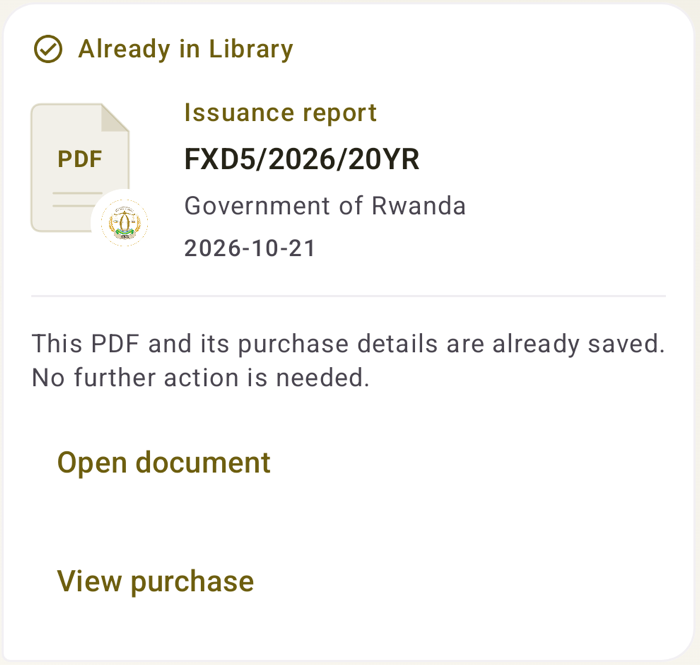
An existing-document receipt, an extracted-data review, and a failed import are different states. Always read the feedback shown for your file.
Document types, not universal compatibility
The app contains workflows for supported bond allocation/confirmation documents, share purchase contracts, and statements.
Support varies by issuer, document version, and layout. The website does not yet publish a verified issuer-by-issuer compatibility catalog. Do not assume every document from a broker is supported because one format works.
If an import is unsupported, available manual entry can help with supported bond or share records. Do not upload investment PDFs through the website contact form; describe the document type without names, account numbers, or balances.
Ask about a formatYour broker remains your broker
No commercial partnership is needed for supported entry and import tools. Trades and custody stay with the appropriate intermediaries.